Invitations and RSVP
Online invitation with RSVP and wishlist in one private link
Combine event details, an accountless RSVP and gift wishes on one private page without asking every guest for an email address.
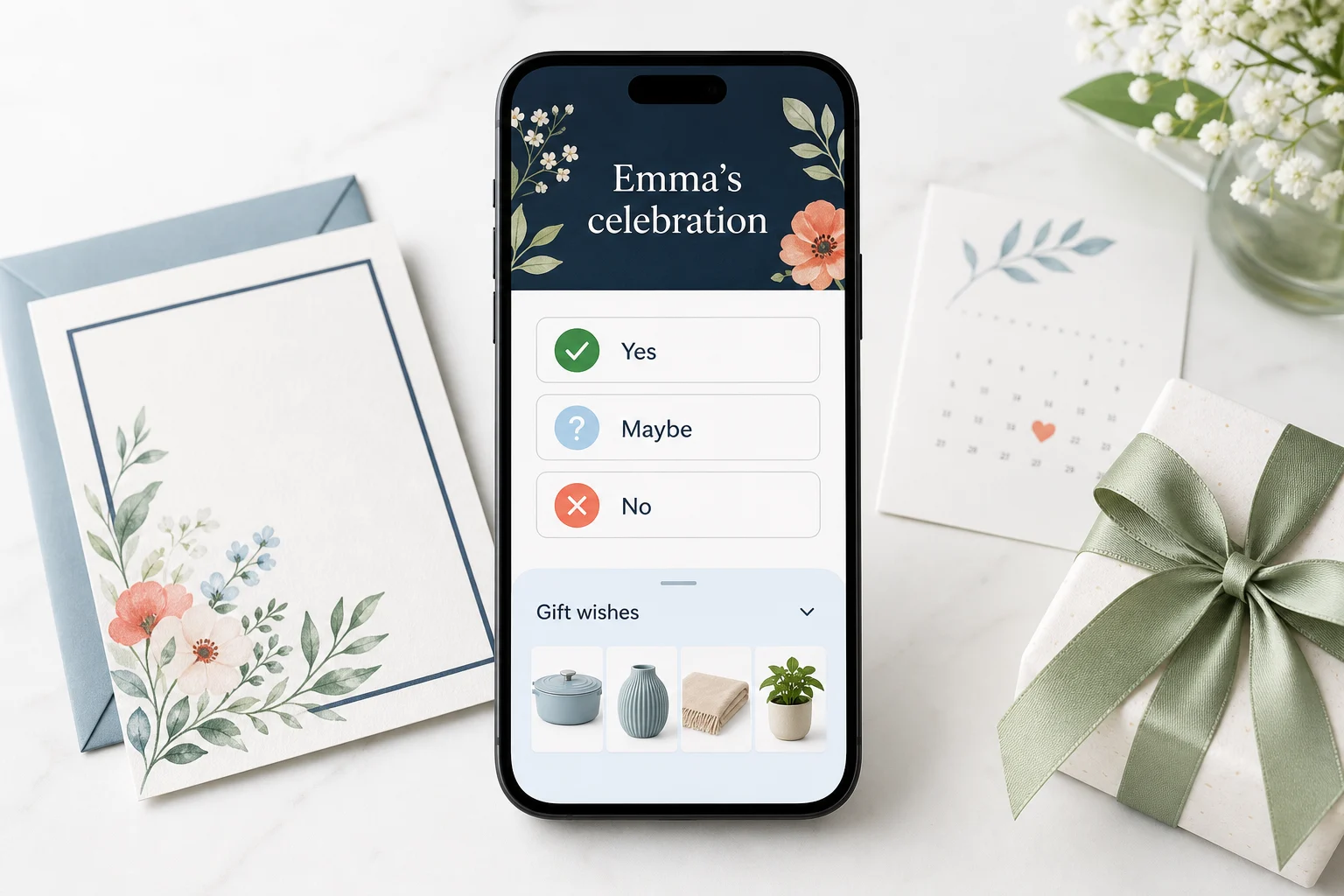
An online invitation with RSVP and a wishlist should feel like one event, not three disconnected services. A guest opens one private link, reads the practical details, answers whether they are coming and opens the gift wishes only when they need them.
That structure is simpler for the host and calmer for the guest. It can also collect less personal data than a registration platform built around profiles, contact books and marketing lists.
Put the event before the gifts
The first screen should answer the questions that every guest has:
- What is the occasion?
- Who is hosting?
- When does it begin?
- Where is it?
- When should I reply?
The wishlist is secondary. Keep it on the same page, but behind a clear "Gift wishes" control so it does not compete with the date and RSVP.
Ask only what the host needs
For most private events, an RSVP needs a chosen name, an attendance answer and the number of people included. A dietary or accessibility note can be optional. An email address and phone number are not automatically necessary when the host already sent the link through an existing channel.
That follows the principle of data minimisation: collect only what is necessary for the stated purpose. The Dutch privacy regulator explains this standard in its guidance on privacy by default and accountability.
Wisploft RSVP therefore works without an account and without asking a guest for email or phone details. The browser receives a functional identifier so the same guest can update the response later.
Make the three answers unambiguous
Use "Yes", "Maybe" and "No" as mutually exclusive choices. Do not turn them into three unrelated buttons that can all look selected.
| Answer | What the host learns | Useful next field |
|---|---|---|
| Yes | include this response in the attending total | party size and optional note |
| Maybe | do not count as confirmed yet | a reminder of the RSVP deadline |
| No | exclude from the attending total | no extra explanation required |
A guest should be able to change the answer from the same browser. Plans change; the interface should treat an update as normal, not create a duplicate row.
Keep maps and calendars one tap away
An address is easier to use as a Maps link than as text to copy. A date and time are easier to remember when the guest can download a calendar event. Put both actions beside the event details, and open external maps without losing the invitation page.
Do not expose a private home address in public previews or searchable metadata. Wisploft event and wishlist pages are direct-link pages and send instructions that they must not be indexed.
Share one stable address
Use the same event URL in WhatsApp, email and a QR code on a printed card. That avoids the common failure where one message contains the RSVP form and another, now buried, contains the wishlist.
The management link is different. It lets the host edit details and read responses, so it should be treated like a password and never printed on the invitation.
What the host should see
The private manage page needs a compact response overview:
- confirmed people, not only response rows;
- maybe and no counts;
- each chosen guest name and party size;
- dietary or accessibility notes;
- the time of the latest response.
It does not need contact profiles, social graphs or guest activity logs. RSVP information should become inaccessible as soon as the host deletes the list and be purged with it after the documented retention period; old inactive events should not live forever.
A complete event page checklist
Before sharing, test the link in a private browser window and on a phone:
- Check the date, time, location and host message.
- Submit a Yes response and update it to Maybe.
- Open Maps and add the calendar event.
- Open the gift wishes without leaving the page.
- Confirm that the public event link, not the management link, is being shared.
Send the link to yourself before sending it to everyone else. Check the page as if you were late, distracted and using mobile data: the date should be obvious, the RSVP should submit quickly, and the wishlist should feel optional. That small rehearsal catches most invitation mistakes before guests see them.
You can create a free Wisploft list without an account, add event details and share one private event page for the invitation, RSVP and gift wishes.